Live Webinar: Mainframe Test Automation with Generative AI Using testRigor - No Coding Required Register Now.
Turn your manual testers into automation experts!Request a Demo

testRigor Release: Color Validation, Qase Integration & More

Weekly Newsletter
Receive weekly testRigor newsletters packed with insights on test automation, codeless testing, and the latest advancements in AI.

Color validations

We now support color validations based on color groups rather than specific hexadecimal (HEX) codes. This allows users to validate an element’s color without specifying an exact color value.

For example, you can use the following commands:

check that "element" color looks red
check that "element" background color looks blue
check that "element" border color looks purple
check that "element" color doesn't look green
check that "element" background color doesn't look yellow
check that "element" border color doesn't look pink

These validations support the following colors:

  • white
  • yellow
  • red
  • purple
  • pink
  • orange
  • green
  • gray
  • brown
  • blue
  • black

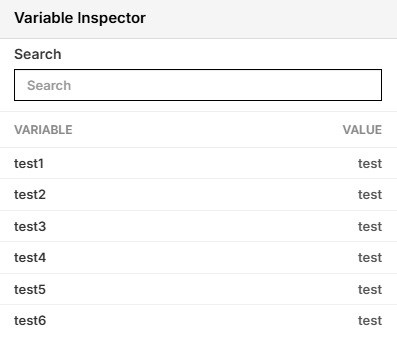
Variable inspector for Live Mode

We’ve introduced a new Variable Inspector for Live Mode. Whenever variables are created during a Live Mode test session, they will automatically appear in the Variable Inspector, allowing users to easily view and track their values.
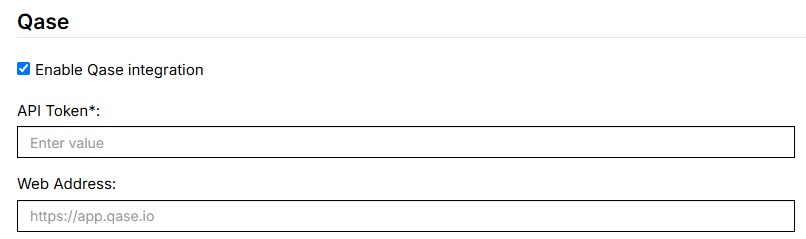
Qase Integration

Test suites can now be integrated with Qase. To enable this integration, navigate to Settings > Integrations, locate the Qase integration section, and enable it.
Setting Camera Images on Mobile Devices

The set camera image to command is now supported on testRigor-provided mobile devices.

Previously, this functionality was only available on Sauce Labs devices. With this update, users can now set camera images directly on testRigor’s own emulators.




Related Articles

Multi-Finger Swipe Gestures

Support for Multi-Finger Swipe Gestures With our latest release, we’ve introduced support for multi-finger swipe gestures ...

testRigor Release: SQL for XLSX, New MCP Tools, and iOS 27 Support

Run SQL queries on .xlsx files Our team has added the ability to run SQL queries using .xlsx files. Here’s an example of ...
On our website, we utilize cookies to ensure that your browsing experience is tailored to your preferences and needs. By clicking "Accept," you agree to the use of all cookies. Learn more.
Cookie settings
Privacy Overview
This site utilizes cookies to enhance your browsing experience. Among these, essential cookies are stored on your browser as they are necessary for ...
Read more
Strictly Necessary CookiesAlways Enabled
Essential cookies are crucial for the proper functioning and security of the website.
Non-NecessaryEnabled
Cookies that are not essential for the website's functionality but are employed to gather additional data. You can choose to opt out by using this toggle switch. These cookies gather data for analytics and performance tracking purposes.